
Crossword Puzzle Redstone
Redstone GamesWord
4.835.53K Reviews
- Version
- 1.7.5
- Installs
- 5.00M
- Age Rating
- Teen
Screenshots
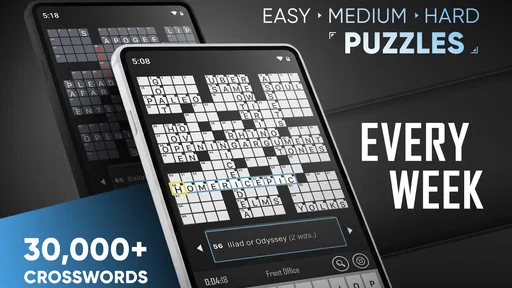
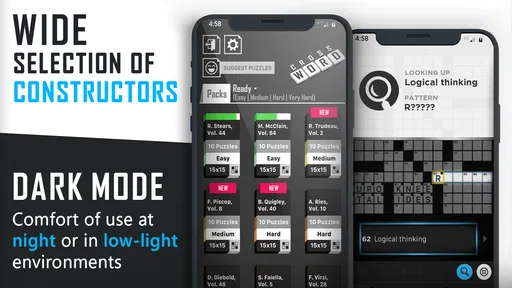
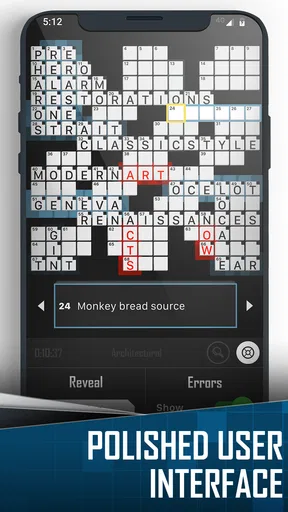
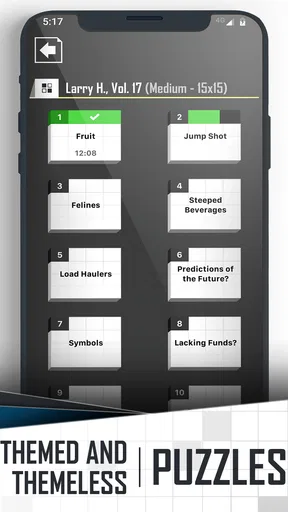
Our Review of Crossword Puzzle Redstone
 Analysis by Appyee
I enjoy word games most when they let me settle into a puzzle without turning the experience into a technical project. Crossword Puzzle from Redstone Games aims for exactly that kind of session: a straightforward crossword game for Android, built around human-made puzzles and daily play that can continue offline. I spent time treating it less like a quick store download and more like something I might keep on my phone for commutes, quiet evenings, and those short breaks when I want to think without opening a social app.
My overall impression is positive, but it is not simply a matter of opening the game and expecting every crossword habit to transfer perfectly. The first puzzle is easy to understand, yet the useful details are in how I handle an uncertain answer, what I do when progress seems to disappear, and how I separate a genuine app problem from a phone or installation issue. Those small points make a bigger difference than flashy presentation in a word game.
Getting past the first points of friction
I find that the first few minutes go more smoothly when I separate learning the grid from judging the puzzle’s difficulty. I start with an answer I can defend, then use its crossing letters to understand how the game handles selection and entry on my phone. That small, patient warm-up makes it easier to spot whether the friction is just unfamiliarity or something worth troubleshooting.
Why the opening experience can feel less obvious than expected
The basic idea is familiar: read a clue, enter an answer, and use crossing letters to narrow down the rest. That simplicity is a strength, although it can also make a small mistake feel confusing. If I enter an answer that looks plausible but does not fit the crossings, the puzzle can quickly become a tangle of guesses. A good approach is to treat the grid as a conversation between clues rather than solving every clue in isolation.
I usually begin with the clues that have a clear answer, then move to the entries that cross them. This is more reliable than repeatedly tapping the hardest clue and trying random words. In a compact crossword, one confirmed letter can change the meaning of several nearby clues. The game rewards that patient rhythm, especially when I resist the temptation to fill a blank simply because the word seems possible.
Another point where users may hesitate is deciding whether an answer is truly wrong or merely incomplete. Crossword wording can be deliberately concise, so a clue that appears obvious may still depend on the letters around it. I find it better to leave a doubtful square alone, solve a neighboring entry, and return with more information. That habit reduces unnecessary corrections and makes the session feel more like solving than guessing.
A sensible first setup on Android
Crossword Puzzle is free to download, and it is aimed at Teen users. The current release is version 1.7.5, with Android 6.0 or later required. Those details matter before troubleshooting begins: an older phone that falls below the minimum system version is not a good candidate for installation, while a compatible phone should at least pass the basic requirements.
My advice is to install it through the normal Android app store, let the installation finish completely, and open it once before assuming anything is wrong. If the game does not appear immediately, I would first check available storage, the phone’s system version, and whether the store is still processing the download. These are ordinary checks, but they prevent a user from blaming the game for a stalled installation.
The game has an average rating of 4.8 from around 136 thousand ratings, which suggests that the central crossword experience works well for a large audience. I would not treat that as a promise that every device will behave identically. Store ratings describe the broad experience, while a particular phone can still have its own storage, system, or background-process problems.
Because the game is designed for offline play, I would also test it in a controlled way rather than drawing conclusions from a poor connection. Open it while connected, allow the available content to load, and then try a short session with connectivity temporarily unavailable. If a particular action depends on the store or another online service, reconnecting is a sensible first check. The important distinction is that offline play is useful for solving, but it does not mean every installation or account-related action must work without a connection.
Making the grid manageable on a small screen
Crosswords are more comfortable when I use a deliberate tapping routine. I select an entry, enter only letters I am reasonably confident about, and use the crossings to verify the rest. On a smaller phone, hurried taps can make the grid feel more awkward than it really is. Slowing down for the first few entries gives me a clearer sense of how selection and movement behave on my device.
I also avoid switching repeatedly between the puzzle and other apps during an important solve. Mobile operating systems may pause or remove background applications when memory is tight. If I am working on a difficult puzzle, I finish a natural section before leaving the game. That is not a special feature of this title; it is simply a practical way to reduce avoidable interruptions on an older or busy phone.
Recovering a puzzle when progress seems wrong
When a filled grid stops making sense, I try to recover the reasoning before changing anything on the device. I compare each uncertain entry with its crossings, then work backward from the first letter that conflicts rather than erasing a whole cluster of answers. This section looks at a careful way to untangle that kind of puzzle snag while protecting progress from unnecessary resets.
Check the simple causes before treating it as lost progress
The most worrying moment in any puzzle app is returning to find that a grid looks different or that recent answers are missing. Before assuming the solve has been erased, I check whether I reopened the same puzzle and whether the app had enough time to save after my last entry. I also look for a visual change in the selected clue or grid position, since it is easy to continue from a different place and mistake that for lost work.
If the game is slow or unresponsive, I close it normally and reopen it once. I avoid immediately clearing all app data, because that can remove local information and turn a temporary display problem into a real loss. A restart of the phone is also reasonable when several apps are behaving strangely, especially after the device has been running for a long time.
There is a useful recovery order here: pause, reopen the game, confirm the puzzle, and only then consider stronger steps. Reinstalling should be a last resort rather than the first response. Any locally stored progress may not survive removal, so I would only take that step when the game cannot launch or remains unusable after the gentler checks.
What to do with an answer that refuses to fit
When an answer appears correct but does not work, I first count the squares and inspect the crossings. Crossword clues can be broad enough to invite a synonym, while the grid demands one particular spelling. I check singular and plural forms, common abbreviations, and whether the clue wording points to a different part of speech. This is one of the places where the game’s straightforward design leaves the reasoning to me rather than explaining every ambiguity.
A practical technique is to write down the pattern mentally, such as a word with a known first, third, and final letter, then revisit the clue from that narrower position. I do not fill every empty square with speculative letters. One wrong entry can make several correct answers look impossible, so removing a doubtful guess is often more productive than adding another.
This is also where the difference between a crossword game and a casual word scramble becomes clear. The usual alternative in the word category may let me form words from a fixed group of letters or match definitions quickly. Here, the crossing structure is the main tool. If I prefer rapid rounds with immediate feedback, another word game may suit me better. If I enjoy deduction and the satisfaction of a grid gradually confirming itself, this format has more staying power.
Handling purchases without letting them dominate the experience
The game is free, with optional in-app items priced from $0.99 to $34.99 per item. I see that as a reason to decide my spending boundary before tapping through any purchase screen. A user who only wants occasional offline puzzles can start with the free experience and judge whether it offers enough value for their routine. Someone who solves frequently may consider an optional purchase worthwhile, but that is a personal calculation rather than a requirement for enjoying the basic idea.
I would keep purchase troubleshooting separate from puzzle troubleshooting. If an item does not appear correctly, I would first confirm the store connection and the account used for the transaction, then restart the game. I would not repeatedly buy the same item while waiting for a delayed response. That simple pause can prevent an accidental duplicate charge and is good practice for any mobile game with optional purchases.
When the phone or connection is really the problem
Not every crash, freeze, or failed download originates in the game. If other applications are also closing, the phone may be low on storage or memory. If only store downloads are failing, the issue may be the connection or the store service rather than the crossword itself. I compare the behavior with another ordinary app before making a judgment.
For a clean test, I close unused applications, connect to a stable network for installation or updates, and reopen the game. I avoid installing several large apps at the same time, since a crowded download queue can make one title appear stuck. On a phone that barely meets the minimum system requirement, keeping the operating system and store components in normal working order becomes especially important.
The offline design is valuable in a realistic everyday situation. I can open a puzzle on a train, in a waiting room, or during a flight after preparing it while connected. That makes the game more dependable than a word title that requires a constant connection for every move. Still, I would not confuse offline access with a guarantee against every device issue. A damaged installation, a full storage drive, or an operating-system problem can affect offline apps too.
Who will enjoy the solving style
I think this game is a strong fit for people who want a calm, repeatable word routine rather than a competitive spectacle. It works for a short break because I can solve a few clues and stop, but it also gives a longer session a clear structure. The human-made puzzle focus matters to me: clues feel intended for solving, not merely generated from a word list, and that makes the grid more satisfying when the difficulty rises.
It is also a reasonable choice for someone trying to build a daily vocabulary habit. I pay attention to unfamiliar words, recognize how clues use context, and remember that a crossing letter can be more valuable than a lucky guess. I would not describe it as a formal language course, though. Anyone seeking pronunciation practice, definitions, or guided lessons should choose a dedicated learning app instead.
Players who dislike uncertainty may find the format slower than expected. A crossword can leave me staring at one clue with no immediate solution, and the correct response is often to work elsewhere rather than demand an instant hint. Likewise, users who want constant sound, animation, leaderboards, or rapid rewards may find this experience restrained. Its appeal comes from the grid itself, not from a stream of distractions.
How it compares with familiar word-game alternatives
Compared with a daily five-letter guessing game, Crossword Puzzle asks for a broader kind of reasoning. A short guessing game gives me a fixed number of attempts and a compact result; a crossword lets one answer support several others. That creates a more layered session, but it also means a single stubborn area can slow the whole solve.
Compared with an anagram game, this title gives less immediate freedom. Anagrams often show me the available letters and let me experiment quickly. A crossword makes the clue and the crossing pattern equally important, so I need to read carefully and manage uncertainty. I prefer this when I want a quieter challenge, while an anagram game is better when I have only a minute and want instant movement.
Compared with newspaper-style crossword apps, the main advantage here is convenience and the ability to play offline. The trade-off is that people who want a very specific publication style, elaborate archives, or a strong community layer may prefer a specialized alternative. I would choose this game for accessible everyday solving, not because it tries to reproduce every feature of a full crossword subscription service.
The practical details I would keep in mind
Redstone Games released the title on June 16, 2016, and the current version remains 1.7.5. Its long presence and more than 5 million installs make it feel like an established choice rather than a brand-new experiment. I still judge it by how well it fits my own routine: quick launch, understandable clues, useful offline access, and enough variety in the solving process to make another puzzle appealing.
The Teen content rating is worth noticing for families. I would not assume that a word-game label automatically makes an app suitable for every child or every household preference. Parents should review the game directly on the intended device and decide whether the puzzle content and optional purchases fit their rules. That is more useful than relying on the category alone.
My best workflow is simple. I install while connected, open the game once, solve the easiest clues first, leave uncertain squares blank, and close the app after reaching a natural stopping point. If something goes wrong, I restart before clearing data or reinstalling. I also keep purchase decisions separate from technical recovery. These steps sound ordinary, but they protect both progress and patience.
After using it this way, I see Crossword Puzzle as a focused word game with a clear purpose. Its biggest practical strength is the combination of human-made crossword solving and offline flexibility, especially for people who want a reliable mental break without a constant network connection. The experience is less suitable for anyone looking for fast arcade pacing, formal language instruction, or a highly social competition layer.
I would recommend it to a friend who enjoys clues, crossing letters, and the slow satisfaction of turning a nearly empty grid into a finished one. I would suggest starting free, testing the offline routine, and deciding later whether optional purchases add enough value. If the first puzzle feels difficult, I would not call that a failure of the app; I would change the solving method, use the crossings more deliberately, and give the format a few sessions.
For me, the verdict is favorable because the game respects the reason I open a crossword in the first place: I want a compact challenge that can fill five quiet minutes or a longer stretch without demanding constant attention. It is not perfect for every type of word-game player, but for a reader seeking an accessible, established crossword experience on Android, Crossword Puzzle is an easy one to keep installed.
Verdict
Strengths of Crossword Puzzle Redstone
- Relaxing gameplay suitable for short or extended sessions.
- Helpful hints make difficult puzzles more approachable.
- Clean interface keeps the focus on solving clues.
- Good option for improving vocabulary and spelling skills.
- Works well for players who enjoy traditional crossword challenges.
Limitations of Crossword Puzzle Redstone
- Some puzzles may feel repetitive after extended play.
- Clue difficulty can vary noticeably between levels.
- Hints may reduce the challenge for experienced players.
- Small text could be uncomfortable on compact screens.
- Progress may feel slow for players seeking fast-paced action.
Similar Picks in This Category
View All
Word Search - Word Puzzle Game
Bluetile4.8

Word Search Quest - Puzzles
Blackout Lab4.8

CodyCross: Crossword Puzzles
Fanatee, Inc.4.7

Words of Wonders: Crossword
Fugo Games4.9

Wordscapes: Word puzzle game
PeopleFun4.7

Word Search Explorer
PlaySimple Games4.9
Frequently Asked Questions
What is Crossword Puzzle Redstone?
Crossword Puzzle Redstone is a word-based puzzle game designed for players who enjoy solving crossword-style challenges on a mobile device. It presents clues that must be answered by entering the correct words into a grid. The game is generally easy to understand, making it suitable for casual sessions, while progressively more demanding puzzles can provide a greater challenge for experienced crossword fans.
How does the gameplay work in Crossword Puzzle Redstone?
The main objective is to read the provided clues and fill the crossword grid with answers that intersect correctly. You can usually tap a space, select a direction, and enter letters using the on-screen keyboard. Crossing words help confirm or correct your guesses, so the game rewards vocabulary, concentration, and logical thinking rather than fast reactions or complicated controls.
Is Crossword Puzzle Redstone suitable for beginners?
Yes, Crossword Puzzle Redstone can be a good choice for beginners because its basic mechanics are simple to learn. New players can start by solving the easiest clues and using the crossing letters to work out more difficult answers. However, the overall difficulty may increase as you progress, so some puzzles could still require patience, broad vocabulary, or occasional assistance.
Does Crossword Puzzle Redstone require an internet connection?
Whether an internet connection is required can depend on the version of the app and the features available on your device. Basic crossword solving may work offline if puzzles are stored locally, but advertisements, updates, analytics, hints, or other online services may need connectivity. It is best to check the app-store description and test the game after installation before relying on it offline.
Is Crossword Puzzle Redstone free to download and play?
Crossword Puzzle Redstone may be available as a free download, but users should review the current store listing for details about advertising, optional purchases, and any premium content. Free puzzle games commonly include advertisements or paid hint-related features. Before downloading, check the listed permissions, supported operating system, in-app purchase information, and recent user reviews to confirm that the current version meets your expectations.
Play our best games!


